
Email Deliverability Best Practices 2025: Complete Checklist
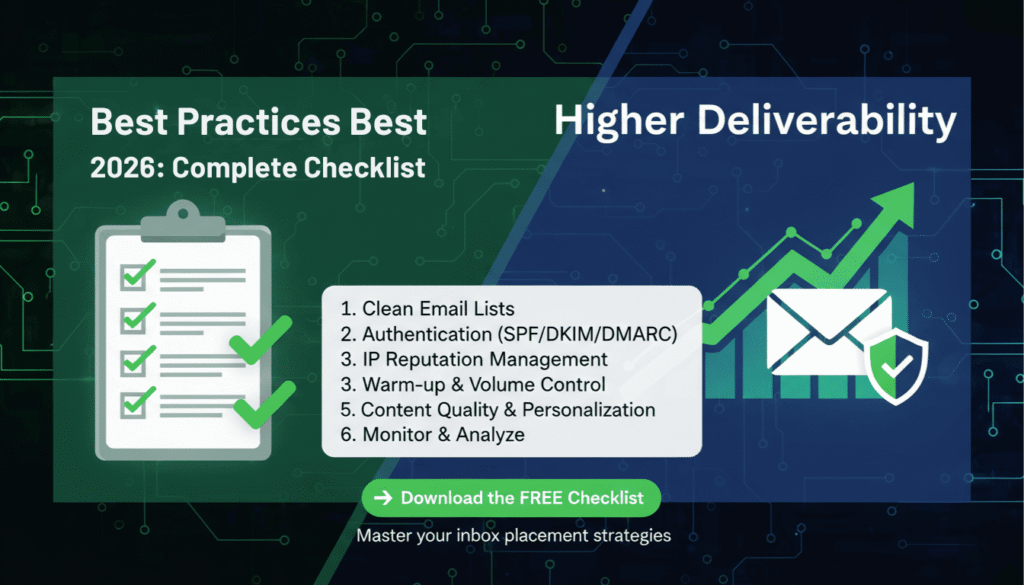
Email deliverability determines whether your carefully crafted messages reach the inbox or vanish into spam folders. In 2025, implementing email deliverability best practices is more critical than ever, with mailbox providers using sophisticated algorithms to evaluate sender reputation, authentication protocols, and engagement patterns. According to recent industry data, only 79% of legitimate marketing emails actually reach the inbox, meaning one in five messages fails to achieve its primary objective. Therefore, mastering deliverability best practices directly impacts your marketing ROI, customer relationships, and revenue generation. This comprehensive guide provides actionable strategies, technical configurations, and proven tactics to maximize your email deliverability rates and ensure your messages consistently reach engaged subscribers.
Understanding Email Deliverability in 2025
What Is Email Deliverability?
Email deliverability represents the ability of your messages to successfully reach recipient inboxes without being blocked, bounced, or filtered into spam folders. However, deliverability extends beyond simple delivery confirmation. While delivery rate measures whether an email server accepted your message, deliverability specifically tracks inbox placement. Consequently, you can achieve high delivery rates while suffering poor deliverability if messages consistently land in spam folders rather than primary inboxes.
Modern email deliverability depends on multiple interconnected factors. First, authentication protocols verify sender identity and prevent spoofing. Second, sender reputation scores influence how mailbox providers treat your emails. Third, engagement metrics demonstrate subscriber interest and content relevance. Fourth, technical infrastructure ensures proper configuration and optimal sending practices. Finally, content quality and compliance adherence protect against spam filters and legal violations.
Why Email Deliverability Matters for Your Business
Poor deliverability directly impacts business outcomes across multiple dimensions. For example, when emails reach spam folders instead of inboxes, your open rates plummet, engagement disappears, and conversion opportunities evaporate. Moreover, deliverability problems compound over time as declining engagement further damages sender reputation, creating a downward spiral that becomes increasingly difficult to reverse.
Financial implications are substantial and measurable. Consider this scenario: a company sending 100,000 emails monthly with a 70% inbox placement rate loses 30,000 potential customer touchpoints. If those emails generate a modest 2% conversion rate at $50 average order value, poor deliverability costs the business $30,000 in monthly revenue. Furthermore, damaged sender reputation requires months of remediation effort, during which marketing effectiveness remains compromised.
Beyond revenue, deliverability affects customer relationships and brand perception. When important transactional emails like order confirmations or password resets land in spam folders, customer satisfaction decreases and support costs increase. Additionally, inconsistent email delivery erodes trust and damages brand credibility in competitive markets where customer attention represents a valuable commodity.
Authentication Protocols: Foundation of Email Deliverability Best Practices
SPF Configuration and Implementation
Sender Policy Framework (SPF) establishes which mail servers can send emails on behalf of your domain. Implementing SPF correctly represents a fundamental email deliverability best practice that prevents spoofing and improves sender reputation. SPF works by publishing a DNS record that lists authorized sending IP addresses, allowing receiving servers to verify message authenticity before accepting delivery.
Creating an effective SPF record requires careful planning and comprehensive inventory of all legitimate sending sources. Include your email service provider, transactional email services, marketing automation platforms, and any third-party services that send emails using your domain. However, avoid exceeding the 10 DNS lookup limit, which causes SPF validation failures and deliverability problems.
- Identify all legitimate email sending sources for your domain
- Create SPF record with proper syntax: v=spf1 include:example.com ~all
- Publish SPF record in your domain’s DNS settings
- Verify SPF record using online validation tools
- Test email authentication with major mailbox providers
- Monitor SPF alignment in DMARC reports
- Update SPF records when adding new sending services
SPF record policies determine how receiving servers handle authentication failures. The “~all” soft fail notation recommends rejection but allows flexibility, while “-all” hard fail strictly rejects unauthenticated messages. For most organizations, soft fail provides better deliverability during transition periods while still offering protection against spoofing attempts.
DKIM Setup for Email Authentication
DomainKeys Identified Mail (DKIM) adds a digital signature to outgoing emails, allowing recipients to verify message integrity and sender authenticity. Unlike SPF, which validates sending servers, DKIM cryptographically signs email content, ensuring messages remain unaltered during transmission. This authentication method has become increasingly important as email deliverability best practices evolve to combat sophisticated phishing and spoofing attacks.
DKIM implementation involves generating a public-private key pair, publishing the public key in DNS records, and configuring your email server to sign outgoing messages with the private key. Most email service providers handle DKIM signing automatically, but you must add the provided DNS records to your domain configuration. Proper DKIM setup significantly improves deliverability, with some studies showing 10% or higher inbox placement improvements compared to unauthenticated emails.
DMARC Policy and Enforcement
Domain-based Message Authentication, Reporting, and Conformance (DMARC) builds upon SPF and DKIM to provide comprehensive email authentication. DMARC allows domain owners to specify how receiving servers should handle authentication failures while providing visibility into email sending activity through detailed reports. Implementing DMARC represents an essential email deliverability best practice that protects your domain reputation and improves inbox placement rates.
DMARC policies operate at three enforcement levels: none, quarantine, and reject. Start with “p=none” to monitor authentication without affecting delivery, then gradually progress to “p=quarantine” and eventually “p=reject” as you verify legitimate sending sources pass authentication. This phased approach prevents accidentally blocking legitimate emails while strengthening domain protection.
DMARC reports provide invaluable insights into email sending activity, revealing unauthorized sending sources, authentication failures, and potential security threats. Aggregate reports arrive daily from participating mailbox providers, detailing which messages passed or failed authentication checks. Meanwhile, forensic reports provide detailed information about specific authentication failures, helping identify configuration problems or abuse attempts.
| DMARC Policy | Action | Use Case |
|---|---|---|
| p=none | Monitor only, no enforcement | Initial implementation and testing |
| p=quarantine | Send failed messages to spam | Progressive enforcement phase |
| p=reject | Block failed messages entirely | Full protection implementation |
List Hygiene and Email Verification Best Practices
Regular Email List Cleaning
Maintaining list hygiene through regular cleaning and verification directly impacts deliverability by reducing bounce rates, improving engagement metrics, and protecting sender reputation. Email lists naturally decay at approximately 22.5% annually as people change jobs, abandon email addresses, or become inactive subscribers. Therefore, implementing systematic list cleaning represents a critical email deliverability best practice that prevents reputation damage from invalid addresses.
Email verification services identify invalid, temporary, and risky email addresses before they damage your sender reputation. These tools check syntax validity, domain existence, mail server connectivity, and mailbox availability without actually sending emails. By removing problematic addresses proactively, you maintain lower bounce rates and demonstrate list quality to mailbox providers.
Double Opt-In Implementation
Double opt-in requires new subscribers to confirm their email address by clicking a verification link before joining your list. Although this method slightly reduces list growth speed, it dramatically improves list quality by ensuring subscribers genuinely want your emails and provided valid addresses. Research consistently shows double opt-in lists generate higher engagement rates, lower complaint rates, and better deliverability compared to single opt-in alternatives.
Implementing double opt-in protects against several common deliverability problems. First, it prevents typos and fake addresses from entering your list. Second, it reduces spam trap hits by requiring active engagement. Third, it establishes clear consent, protecting against compliance violations. Fourth, it filters out uninterested recipients who would never engage with your content.
Removing Inactive Subscribers
Inactive subscribers damage deliverability by lowering engagement rates and increasing the risk of spam complaints. Mailbox providers interpret lack of engagement as signal that recipients don’t want your emails, gradually reducing inbox placement for your entire sending domain. Consequently, removing chronically inactive subscribers represents an essential email deliverability best practice that protects reputation and improves results.
Define inactivity based on your sending frequency and business model. For daily senders, consider subscribers inactive after 90 days without opens or clicks. For weekly senders, extend the threshold to 120-180 days. Before removing inactive subscribers, implement a re-engagement campaign offering incentives to stay subscribed or asking recipients to confirm continued interest.
Sender Reputation Management Strategies
Monitoring Your Sender Score
Sender reputation score functions like a credit score for email senders, influencing how mailbox providers treat your messages. Scores range from 0 to 100, with higher scores correlating to better inbox placement. Multiple factors influence sender reputation including bounce rates, spam complaints, spam trap hits, authentication status, and engagement metrics. Therefore, monitoring sender score represents a fundamental email deliverability best practice that provides early warning of reputation problems.
Several tools provide sender reputation visibility, including Sender Score by Validity, Google Postmaster Tools, and Microsoft SNDS. Check your reputation regularly and investigate score drops promptly. Even small reputation decreases can significantly impact deliverability, with scores below 70 typically resulting in substantial spam folder placement.
Improving sender reputation requires addressing underlying deliverability problems rather than seeking quick fixes. Focus on list hygiene, engagement quality, authentication implementation, and content optimization. Reputation improvements take time, typically requiring 4-8 weeks of consistent positive sending behavior to recover from significant damage.
IP Warming and Management
IP warming establishes sender reputation for new IP addresses by gradually increasing sending volume over several weeks. Mailbox providers view sudden high-volume sending from new IPs as suspicious behavior similar to spammer tactics. Therefore, proper IP warming represents an essential email deliverability best practice that prevents reputation damage when launching new sending infrastructure or switching email service providers.
Effective IP warming follows a structured schedule that begins with small volumes to highly engaged subscribers and progressively increases sending to larger segments. Start with 50-100 emails on day one, double daily volume while monitoring deliverability metrics, and reach full volume over 2-4 weeks depending on total list size. Send consistently throughout the warming period, maintaining regular cadence rather than sporadic bursts.
- Day 1-2: 50-100 emails to most engaged subscribers
- Day 3-4: 500-1,000 emails, continue with engaged segments
- Day 5-7: 2,500-5,000 emails, expand to broader list
- Day 8-14: Double volume every 2-3 days
- Day 15-30: Gradually reach full sending volume
- Monitor bounce rates, complaints, and inbox placement throughout
- Slow progression if metrics deteriorate
Maintaining Consistent Sending Patterns
Consistent sending patterns build trust with mailbox providers by demonstrating legitimate business practices. Dramatic volume fluctuations raise suspicion and can trigger spam filters, even for authenticated senders with good reputation. Therefore, maintaining predictable sending volume represents a key email deliverability best practice that supports long-term inbox placement success.
Establish regular sending schedules aligned with subscriber expectations and business needs. If you typically send three emails weekly, avoid suddenly sending daily messages without gradually increasing frequency. Similarly, don’t disappear for weeks then resume sending, as this pattern mimics dormant accounts being compromised by spammers.
Content Optimization for Better Deliverability
Avoiding Spam Triggers in Email Content
Spam filters analyze email content for characteristics common in unwanted messages, including excessive capitalization, misleading subject lines, suspicious links, and manipulative language. While modern filters rely primarily on reputation and engagement signals, content still influences deliverability decisions. Consequently, avoiding spam triggers represents an important email deliverability best practice that supports consistent inbox placement.
Common spam triggers include excessive punctuation (!!!), ALL CAPS text, misleading subject lines that don’t match content, excessive use of red text or large fonts, and too many images relative to text. Additionally, certain words and phrases statistically correlate with spam, including “free money,” “guaranteed winner,” “act now,” and “click here.” However, context matters more than individual words, so focus on authentic communication rather than obsessing over keyword avoidance.
HTML and Text Balance
Emails containing only images without sufficient text trigger spam filters and create accessibility problems for recipients using assistive technologies. Spam filters cannot effectively analyze image-only emails, causing them to treat such messages suspiciously. Therefore, maintaining proper HTML and text balance represents an essential email deliverability best practice that ensures messages are accessible, analyzable, and deliverable.
Aim for a text-to-image ratio of approximately 60:40 or higher, ensuring substantial text content accompanies any images. Always include a text version alongside HTML emails, as some recipients prefer plain text or use email clients that don’t render HTML properly. Moreover, include descriptive alt text for all images, which provides context for spam filters and improves accessibility.
Link and Image Best Practices
Links and images significantly impact deliverability when implemented improperly. Spam filters scrutinize link destinations, checking for blacklisted domains, suspicious URL structures, and excessive link density. Similarly, image hosting location, file size, and implementation method influence filter decisions. Therefore, following link and image best practices helps maintain strong deliverability while creating visually appealing, functional emails.
Limit links to 3-5 per email for promotional messages, ensuring each serves a clear purpose rather than overwhelming recipients with options. Host images on reputable servers with proper DNS configuration and avoid using suspicious file hosting services. Keep total email size under 102KB to prevent Gmail clipping, which truncates large messages and hides content.
| Element | Best Practice | Impact on Deliverability |
|---|---|---|
| Links | 3-5 per email, valid destinations | Excessive links trigger spam filters |
| Images | Proper alt text, reasonable file sizes | Image-only emails reduce deliverability |
| Attachments | Avoid in marketing emails | Attachments increase spam risk significantly |
| File Size | Keep total under 102KB | Large emails get clipped by Gmail |
Engagement Metrics and Their Impact
Open Rates and Deliverability
Open rates signal recipient interest to mailbox providers, directly influencing sender reputation and future inbox placement decisions. When subscribers consistently open your emails, mailbox providers interpret this as positive engagement justifying inbox delivery. Conversely, chronically low open rates suggest recipients don’t value your messages, prompting filters to reduce inbox placement. Therefore, optimizing for genuine engagement represents a critical email deliverability best practice that creates a virtuous cycle of improved results.
However, Apple’s Mail Privacy Protection (MPP) and similar privacy initiatives complicate open rate measurement by pre-loading email content regardless of actual user engagement. This change doesn’t eliminate open rate importance but shifts focus toward other engagement signals including clicks, replies, and message moves. Focus on building genuine subscriber interest through relevant content rather than gaming open metrics.
Click-Through Rates Matter
Click-through rates provide unambiguous engagement signals unaffected by privacy protections, making them increasingly valuable for measuring subscriber interest and predicting deliverability success. Recipients who click links demonstrate active engagement beyond passive message viewing, sending strong positive signals to mailbox providers. Consequently, optimizing content for clicks represents an important email deliverability best practice that improves both immediate campaign performance and long-term sender reputation.
Improve click rates through clear calls-to-action, relevant content that matches subscriber interests, and streamlined message design that guides attention toward desired actions. Test different CTA placements, button designs, and messaging to identify what resonates with your specific audience.
Managing Unsubscribes Properly
Easy, transparent unsubscribe processes protect deliverability by providing unhappy subscribers a clear exit path before they mark messages as spam. Spam complaints damage sender reputation far more severely than unsubscribes, making prominent unsubscribe links a counterintuitive email deliverability best practice that actually improves long-term results. Moreover, prompt unsubscribe processing demonstrates respect for subscriber preferences and ensures compliance with anti-spam regulations.
Include unsubscribe links in every promotional email, making them easy to find without being overly prominent. Process unsubscribe requests immediately rather than waiting for batch processing, preventing additional emails to recipients who opted out. Consider implementing preference centers allowing subscribers to reduce frequency rather than completely opting out, which retains valuable list members while respecting their preferences.
Technical Infrastructure Requirements
Email Service Provider Selection
Your email service provider (ESP) significantly impacts deliverability through their infrastructure quality, reputation management practices, and relationships with mailbox providers. Reputable ESPs maintain strong sender reputations, implement authentication properly, provide deliverability monitoring tools, and actively manage spam complaints. Therefore, selecting a quality ESP represents a foundational email deliverability best practice that influences every aspect of your email program’s success.
Evaluate ESPs based on deliverability track record, authentication support, list management features, engagement tools, and reporting capabilities. Look for providers offering dedicated IP options, strong customer support, and transparent deliverability metrics. Major ESPs including Mailchimp, SendGrid, Amazon SES, and Constant Contact maintain extensive infrastructure specifically designed to optimize deliverability.
Dedicated IP vs Shared IP
Dedicated IP addresses provide complete control over sender reputation, isolating your deliverability from other senders’ behavior. However, dedicated IPs require sufficient sending volume to maintain reputation, typically 100,000+ emails monthly. Shared IPs pool multiple senders together, leveraging collective reputation while exposing you to potential problems from other users. Choosing between dedicated and shared IP addresses depends on sending volume, control requirements, and resources available for reputation management.
Shared IPs work well for most senders, particularly those with inconsistent volumes or less than 50,000 monthly emails. Reputable ESPs actively manage shared IP reputation, removing problematic senders and maintaining strong deliverability. Dedicated IPs benefit high-volume senders who need complete reputation control and can maintain consistent sending patterns to preserve IP reputation.
- Requires minimum 100,000 emails monthly for reputation maintenance
- Demands consistent sending patterns to preserve reputation
- Provides complete control over sender reputation
- Requires IP warming when initially implemented
- Isolates deliverability from other senders’ behavior
- Costs more than shared IP options
- Needs dedicated monitoring and management resources
Bounce Handling Mechanisms
Proper bounce handling removes invalid addresses, prevents repeated delivery attempts to non-existent mailboxes, and protects sender reputation from bounce rate damage. Email bounces fall into two categories: hard bounces indicating permanent delivery failures, and soft bounces representing temporary problems. Implementing automated bounce handling represents an essential email deliverability best practice that maintains list quality and prevents reputation erosion.
Hard bounces require immediate list removal, as they indicate invalid addresses that will never successfully receive email. Soft bounces need careful evaluation, as they might represent temporary mailbox issues rather than permanent problems. Remove addresses after 3-5 consecutive soft bounces, as this pattern typically indicates abandoned mailboxes or persistent delivery problems.
Compliance and Legal Considerations
CAN-SPAM Act Requirements
The CAN-SPAM Act establishes legal requirements for commercial email in the United States, with violations carrying penalties up to $43,280 per message. Compliance protects against legal liability while supporting deliverability through practices that align with email deliverability best practices. CAN-SPAM requirements include accurate header information, non-deceptive subject lines, clear identification of commercial messages, physical postal addresses, functional unsubscribe mechanisms, and prompt opt-out processing.
Include your valid physical postal address in every commercial email, either as a street address or post office box. Honor unsubscribe requests within 10 business days, though best practice suggests immediate processing. Avoid misleading subject lines that don’t accurately reflect message content, as deceptive practices violate both CAN-SPAM and spam filter policies.
GDPR Email Marketing Compliance
The General Data Protection Regulation (GDPR) establishes strict consent requirements for processing personal data of European Union residents, including email addresses used for marketing purposes. GDPR compliance requires explicit consent for email marketing, clear privacy policies, data processing documentation, and mechanisms for data access, correction, and deletion. Following GDPR principles represents an important email deliverability best practice that builds trust with subscribers while meeting legal obligations.
Obtain affirmative consent before sending marketing emails to EU residents, using clear language explaining how you’ll use their data. Maintain detailed records documenting when and how subscribers consented to receive emails. Provide easy methods for subscribers to access their data, request corrections, or withdraw consent entirely.
Consent and Permission Management
Explicit permission represents the foundation of ethical email marketing and successful deliverability. Permission-based email marketing generates higher engagement, lower complaints, and better deliverability compared to unsolicited messaging. Therefore, implementing rigorous consent and permission management represents a fundamental email deliverability best practice that supports both legal compliance and marketing effectiveness.
Collect email addresses only through legitimate opt-in methods, clearly explaining what subscribers can expect regarding content and frequency. Maintain detailed records of consent including timestamp, IP address, and opt-in source. Regularly reconfirm permission for older subscribers, ensuring continued interest and cleaning lists of abandoned addresses.
Monitoring and Analytics for Deliverability
Key Metrics to Track
Comprehensive deliverability monitoring requires tracking multiple metrics that collectively reveal email program health and identify problems before they cause serious reputation damage. Essential metrics include delivery rate, bounce rate, complaint rate, inbox placement rate, open rate, click rate, and unsubscribe rate. Monitoring these metrics regularly represents a critical email deliverability best practice that enables proactive problem identification and rapid remediation.
| Metric | Healthy Range | Warning Signs |
|---|---|---|
| Delivery Rate | 95-98% | Below 95% |
| Hard Bounce Rate | Below 2% | Above 5% |
| Complaint Rate | Below 0.1% | Above 0.2% |
| Inbox Placement | Above 85% | Below 75% |
| Open Rate | 15-25% | Below 10% |
| Unsubscribe Rate | Below 0.5% | Above 1% |
Tools for Deliverability Testing
Deliverability testing tools provide visibility into inbox placement, spam filter treatment, and authentication status across multiple mailbox providers. These tools send test messages to seed accounts at major providers, measuring whether emails reach inboxes or spam folders and identifying specific filtering reasons. Using deliverability testing tools represents an essential email deliverability best practice that validates configuration changes and monitors ongoing performance.
Popular deliverability testing tools include GlockApps, Mail-Tester, MailGenius, and built-in testing features from major ESPs. Test deliverability before major campaigns, after infrastructure changes, and periodically to establish baseline performance. Investigate placement problems immediately rather than waiting for metrics to deteriorate further.
Interpreting Deliverability Reports
Deliverability reports provide detailed insights into email program performance, but require proper interpretation to identify actionable improvement opportunities. Look for patterns rather than reacting to individual data points, as normal variation occurs in all metrics. Compare performance across different segments, mailbox providers, and campaign types to identify specific problems rather than broad issues.
Gmail and Microsoft provide sender-specific tools offering direct visibility into how they treat your emails. Google Postmaster Tools shows domain reputation, IP reputation, spam rate, and delivery errors for Gmail specifically. Microsoft SNDS provides reputation data and filtering information for Outlook.com and other Microsoft mailboxes. Monitor these provider-specific tools regularly as part of comprehensive email deliverability best practices.
Email Deliverability Best Practices Checklist 2025
- Implement SPF records authorizing legitimate sending sources
- Configure DKIM signatures for all outgoing emails
- Deploy DMARC policy with monitoring and progressive enforcement
- Verify authentication records using validation tools
- Configure proper reverse DNS (PTR records) for sending IPs
- Ensure sending domain matches From address domain
- Use authenticated domain in unsubscribe links
- Implement double opt-in for new subscribers
- Verify email addresses before adding to active lists
- Remove hard bounces immediately
- Clean inactive subscribers every 90-180 days
- Segment lists based on engagement levels
- Never purchase or rent email lists
- Process unsubscribe requests within 24 hours
- Warm new IP addresses gradually over 2-4 weeks
- Maintain consistent sending volumes and schedules
- Monitor sender reputation score regularly
- Keep complaint rates below 0.1%
- Maintain bounce rates under 2%
- Send from dedicated IPs if volume exceeds 100,000 monthly
- Segment by engagement to protect reputation
- Maintain 60:40 or higher text-to-image ratio
- Include plain text version alongside HTML
- Limit to 3-5 links per promotional email
- Add descriptive alt text for all images
- Avoid spam trigger words and excessive punctuation
- Keep total email size under 102KB
- Use branded links rather than URL shorteners
- Write clear, accurate subject lines
- Track delivery, open, click, and complaint rates
- Monitor inbox placement using seed testing
- Implement preference center for frequency management
- Re-engage inactive subscribers before removing
- Analyze engagement by segment and campaign type
- Use Google Postmaster Tools and Microsoft SNDS
- Test deliverability before major campaigns
- Include physical postal address in every email
- Provide clear, functional unsubscribe mechanism
- Honor opt-out requests within 10 business days
- Obtain explicit consent before sending marketing emails
- Maintain consent records with timestamps
- Comply with GDPR for EU recipients
- Follow CAN-SPAM Act requirements
Frequently Asked Questions About Email Deliverability Best Practices
What is the most important factor affecting email deliverability?
Sender reputation represents the single most important factor affecting email deliverability, as mailbox providers use reputation scores to determine inbox placement. Reputation encompasses multiple elements including authentication status, bounce rates, complaint rates, spam trap hits, and engagement metrics. While no single factor guarantees deliverability, maintaining strong sender reputation through comprehensive email deliverability best practices provides the foundation for consistent inbox placement across all mailbox providers.
How long does it take to improve email deliverability after implementing best practices?
Deliverability improvement timelines vary depending on the severity of existing problems and consistency of implementation. Minor issues may show improvement within 1-2 weeks, while significant reputation damage typically requires 4-8 weeks of consistent positive behavior to remediate. Factors affecting recovery speed include starting reputation level, list quality improvements, authentication implementation, and engagement rate increases. However, maintain realistic expectations as rebuilding sender reputation takes time and sustained effort rather than providing instant results.
Should I use a dedicated IP address or shared IP for better deliverability?
Shared IP addresses work well for most organizations, particularly those sending less than 100,000 emails monthly or with inconsistent sending patterns. Reputable email service providers actively manage shared IP reputation, providing good deliverability without requiring dedicated resources. Dedicated IPs benefit high-volume senders exceeding 100,000 monthly emails who need complete reputation control and can maintain consistent sending patterns. The choice depends on sending volume, consistency requirements, and available resources for IP management rather than one option universally outperforming the other.
How often should I clean my email list to maintain good deliverability?
Clean your email list quarterly at minimum, removing hard bounces immediately and soft bounces after 3-5 consecutive failures. Additionally, remove or re-engage inactive subscribers every 90-180 days depending on your sending frequency. High-frequency senders benefit from monthly list cleaning, while occasional senders can extend to quarterly cleaning. Regular list maintenance prevents bounce rate accumulation, reduces spam trap risks, and improves engagement metrics that influence sender reputation. Therefore, list cleaning frequency should align with sending volume and list decay rate while following email deliverability best practices.
What bounce rate is acceptable for good email deliverability?
Acceptable bounce rates remain below 2% for healthy email programs, with rates between 2-5% indicating moderate problems requiring attention. Bounce rates exceeding 5% signal serious list quality issues that damage sender reputation and require immediate remediation. Hard bounces should be removed immediately to prevent reputation damage from repeated delivery attempts to invalid addresses. Soft bounces need monitoring over multiple sends, removing addresses after 3-5 consecutive failures. Maintaining low bounce rates through email deliverability best practices including list verification, double opt-in, and regular cleaning protects sender reputation and ensures consistent inbox placement.
How does authentication improve email deliverability?
Email authentication protocols including SPF, DKIM, and DMARC verify sender identity, prevent spoofing, and signal legitimacy to mailbox providers. Authenticated emails receive preferential treatment from spam filters, with studies showing 10% or higher inbox placement improvements compared to unauthenticated messages. Authentication protects your domain from unauthorized use while building trust with mailbox providers through verified sending practices. Implementing comprehensive authentication represents a foundational email deliverability best practice that improves immediate results while protecting long-term sender reputation.
Can email deliverability be affected by content and design choices?
Yes, content and design significantly influence deliverability through spam filter evaluation and engagement impact. Spam triggers including excessive capitalization, misleading subject lines, and poor text-to-image ratios increase filtering risk. Moreover, content relevance directly affects engagement metrics that signal message quality to mailbox providers. Following email deliverability best practices for content means writing authentic, relevant messages with proper HTML structure, appropriate link density, and balanced text-image ratios. While reputation matters most, content optimization supports deliverability by avoiding filter triggers and maximizing subscriber engagement.
What should I do if my emails suddenly start going to spam?
First, verify authentication records remain properly configured, as DNS changes or expirations cause sudden deliverability drops. Second, check bounce and complaint rates for unusual spikes indicating list problems or content issues. Third, review recent content changes that might trigger spam filters or reduce engagement. Fourth, test deliverability using seed accounts to identify which providers are filtering messages. Finally, segment by engagement and send only to active subscribers while investigating problems. Sudden deliverability drops usually result from specific technical issues or reputation damage requiring prompt diagnosis and remediation following email deliverability best practices.
Related Resources:
(Internal link suggestion: BounceChecker guide on email verification and list cleaning strategies)
